Reminders and routine tracking in IQSTAX
Organize reminders and review your routine.
Plan and record in one app
IQSTAX provides schedules, reminders and Calendar views alongside personal records. Use these to organize an existing routine and revisit entries over time.
Set your schedule
Choose the item and enter the schedule you intend to follow. Check device notification permissions when using reminders. An app reminder is an organization aid and should not be your only safeguard for time-critical medication.
Review a day
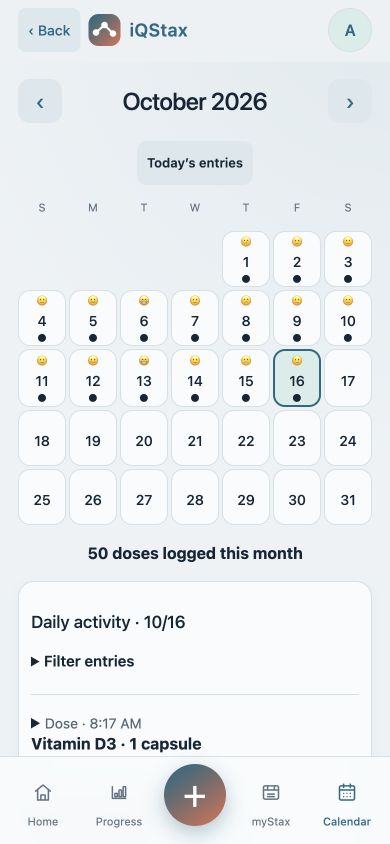
Open Calendar and select the date you want to review. Look at the saved records for that day and correct inaccurate entries using the available controls. Planned events and completed logs should be interpreted separately.
Add context over time
Use available weight, mood and photo records to keep personal context alongside your routine. Changes in those records do not establish the cause of a health outcome. Screens and options can differ by app version.
Common questions
Why might a reminder not appear?
Check notification permission, device settings and the schedule you entered. Delivery also depends on the device and operating system. For an important schedule, keep an appropriate backup reminder.
Does tracking progress show whether a treatment works?
No. Weight, mood and photo entries provide personal context over time. They do not establish why something changed or replace a clinical assessment.
Explore IQSTAX
Try the website demo, or view current app details and subscription information in your store.
By the IQSTAX team · October 21, 2026. Recordkeeping guidance, not medical advice. Features and screens may vary by platform and version.